
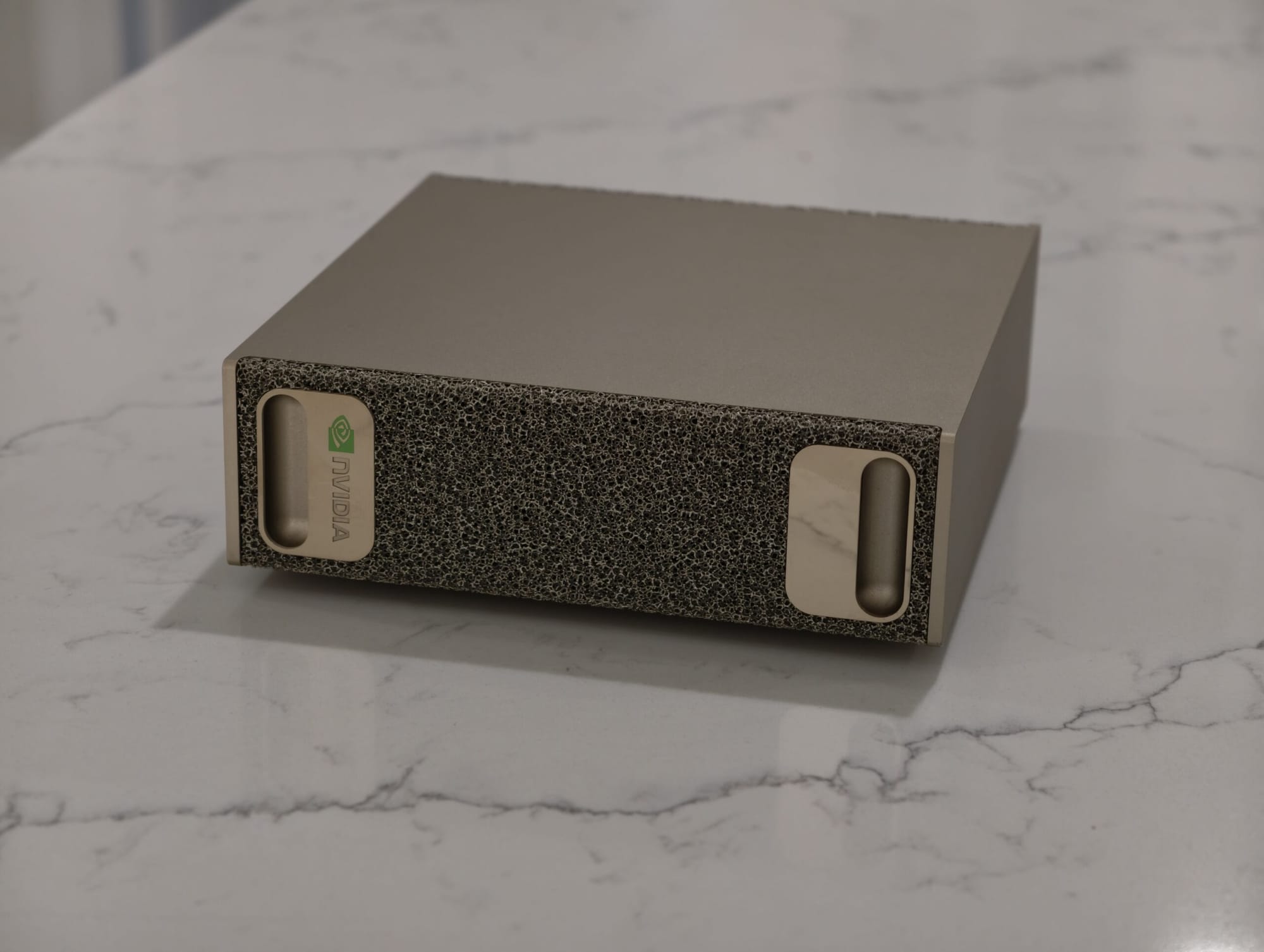
This year on Black Friday, one of my favorite products of the year: NVIDIA’s DGX Spark! My list of favorite products is by no means short, but this was a quick add simply because I’ve had so much fun playing with this. Unlike most other products I’ve used this year, it’s something that feels rewarding to use and build with. It’s one of the devices that feels like it’s designed to build, experiment, and test with and rewarding to do with it.
I think that’s an important way to start talking about the DGX Spark because of what it is: a mini-super computer running NVIDIA’s Grace-Blackwell 10 SoC. It’s a SoC chiplet combining a 3nm 20-core Mediatek CPU with an NVIDIA GPU. It’s the first consumer grade chiplet from NVIDIA using NVLink C2C as well as the first consumer NVIDIA chiplet! I use consumer loosly here, but it’s closer to a consumer chip than it is an enterprise chip.
It comes with 128GB of coherent unified LPDDR5x memory with a 273 GB/s memory bandwidth, supports NVIDIA’s ConnectX-7 NIC networking with 200GbE bandwidth, and 4TB of NVME storage. This is what happens when you take a desktop grade AI data center rack and shrink it down to fit on your desk in a small footprint, and make sure it can run off a standard power outlet.
This is all to say it’s the best way to experiment with CUDA and production-like software and enviorments at a lower cost/barrier to entry. If you follow AI, open models, and how most of this works, you’ve likely heard of TensorRT-LLM, vLLM, or SGLang. These are the major inference frameworks for serving models in production enviroments! Deepseek, xAI, and many others use these open-source frameworks for their models. If you want to understand how to get a model running on a GB200 rack, you need to understand setting up Docker enviroments with proper CUDA drivers, making sure you don’t hit OOM (out of memory) errors, model choice, proper tool calling and reasoning parsing, and much more.
That’s where the DGX Spark really shines, and I think this is its most compelling use case: it’s a low barrier to entry piece of hardware to test and validate deployments for Blackwell before going to larger GB200 or Blackwell Ultra deployments. The software stack, inference frameworks, and everything else is the same, just scaled down. You can get everything working locally, iterate on your setup, and know that when you deploy to larger scale, whether that’s an RTX Pro 6000 node or Blackwell Ultra rack, it’ll work the same way.
For smaller organizations or individuals without the resources of major labs, this is huge. You can get your deployment environments ready, test agents and frameworks, and troubleshoot without needing to rent extremely expensive cloud nodes until you’re actually ready. That feedback loop of “run it locally, debug, iterate” is so much faster and cheaper than spinning up a minimum $30/hour cloud instances just to find out your Docker config is wrong or your model doesn’t fit in memory.
Here’s the thing nobody tells you about trying to deploy AI on any system: not everything just works. Getting GPT-OSS 120B running in a production environment can be extremely difficult. Reasoning doesn’t always fire or parse correctly. The API formatting between chat completions and the newer responses API is different, responses is designed to be agent-first, built around tool use and multi-step workflows rather than simple back-and-forth chat. Tool calling parsing is inconsistent across frameworks and models, especially with quantized weights. I’ve tested GPT-OSS 20B and 120B across TensorRT-LLM, vLLM, and SGLang, and various Qwen3 models. Some setups just don’t work. Tool calling breaks. Reasoning tokens don’t parse. The model fits in memory but outputs are worthless.
NVFP4 is a good example of something that’s powerful but finicky. It uses dynamic quantization—essentially upscaling the model, having it answer questions at full precision, quantizing down to FP4, then tuning the quantized model to make sure it answers the same way at FP4 as it does at FP16. NVIDIA has recipes to do this with new models, so I could even run newer releases like the Mistral 3 series this way. There are a handful of models with NVFP4 already included, and when it works you get a serious boost in performance and much lower memory utilization. But tool calling on these quantized models has been hit or miss across every inference framework I’ve tried. It’s not a dealbreaker, it’s just the kind of thing you need to test and debug, which is the entire point!
This is exactly why the DGX Spark matters. You can hit all of these problems on your desk, in your own environment, and actually fix them. Figure out which inference framework plays nicely with your model. Get your API formatting right. Debug why tool calls aren’t parsing on your quantized weights. Do all of that locally, iterate until it works, and then deploy to a GB200 or Blackwell Ultra node knowing it’ll run the same way. The alternative is burning expensive cloud hours just to discover your Docker config is wrong or your quantization settings need tuning. That’s a brutal feedback loop at $30/hour. On the Spark, it costs you nothing but time—and you learn a lot more in the process.
The one that’s worked really well for me is Qwen3 30B A3B Thinking. It doesn’t show off the NVFP4 support, but the model is plenty intelligent and fast enough for real use at around 30 tokens per second and near instant time to first token. Once I got it dialed in, I built out a proper agent system using Agno as my framework. Not just individual agents—full agent teams with an overarching orchestrator.
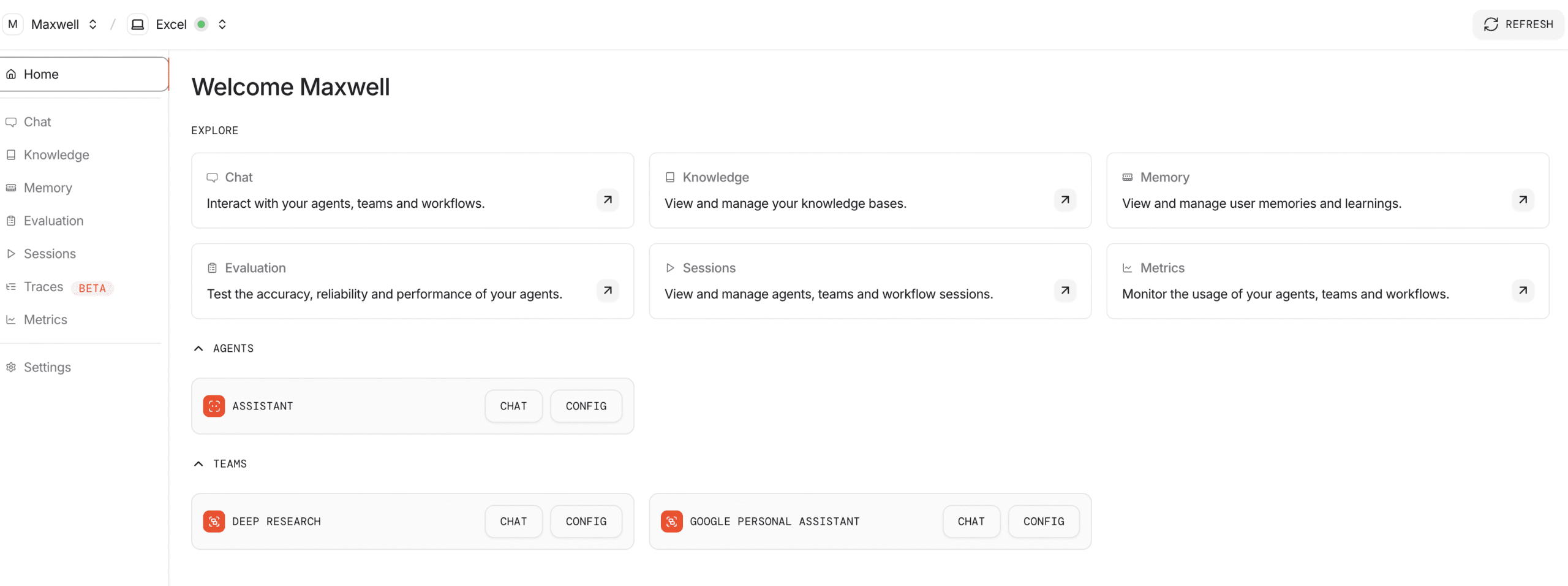
For example, I have a Google Team with dedicated agents for Google Maps, Google Sheets, Gmail, Google Calendar, and so on. I chat with the Google Team leader, which delegates to each individual agent, pulling in information as needed and coordinating work across them. This architecture matters a lot more than you’d think when running local models. Context window is a limiting factor on custom deployments, and small models get overwhelmed easily when you throw too many tools at them. By splitting responsibilities across specialized agents—each tuned with its own system prompt and toolset—you keep things efficient and focused. The orchestrator handles coordination, each agent stays in its lane, and the whole system actually works.
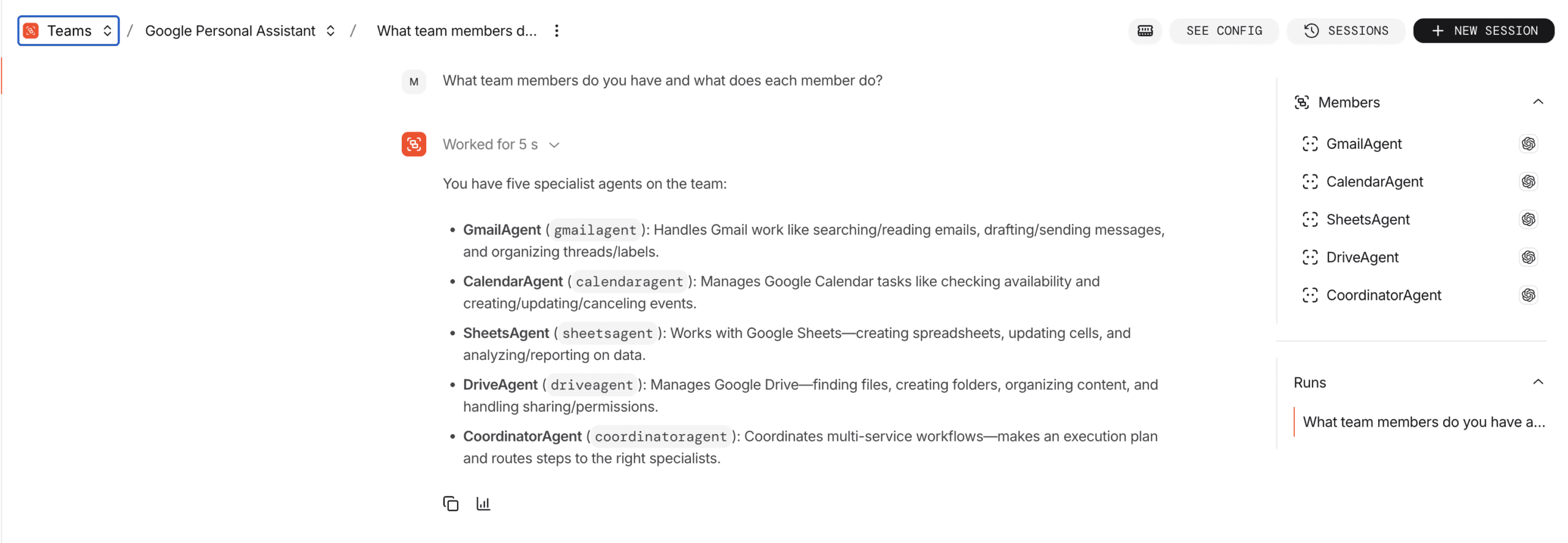
This is exactly the kind of thing you want to test on hardware like the DGX Spark. Getting agent teams working reliably on smaller models takes iteration—tuning prompts, adjusting tool definitions, figuring out how to structure handoffs between agents. You don’t want to be doing that on expensive cloud infrastructure. You want to do it locally, where you can experiment freely and learn what works before scaling up.
It’s one thing to say “you can run AI locally,” but it’s another to have a full agent system integrated into your workflow and genuinely useful. The DGX Spark is the hardware that makes that possible—and more importantly, it’s the hardware that lets you figure out how to make it possible before you’re paying for rack time.