
I have a habit when I review gaming hardware: I use the review as an excuse to finally play something I have been putting off. The RTX 5090 was my excuse to play Alan Wake 2, and I loved that game. The MSI Claw 8 EX AI+ became my excuse to restart Marvel’s Spider-Man 2, a game I bought a PlayStation 5 to play and then never finished.
I am not much of a controller person, and gaming handhelds have never fit into my life. I have owned a Nintendo Switch and used a few Windows/Steam handhelds, but they always felt like a compromised way to play games I could run better somewhere else. The battery was fine, the controls were fine, the performance was fine. None of them made me want to keep using the device after I had done the testing.
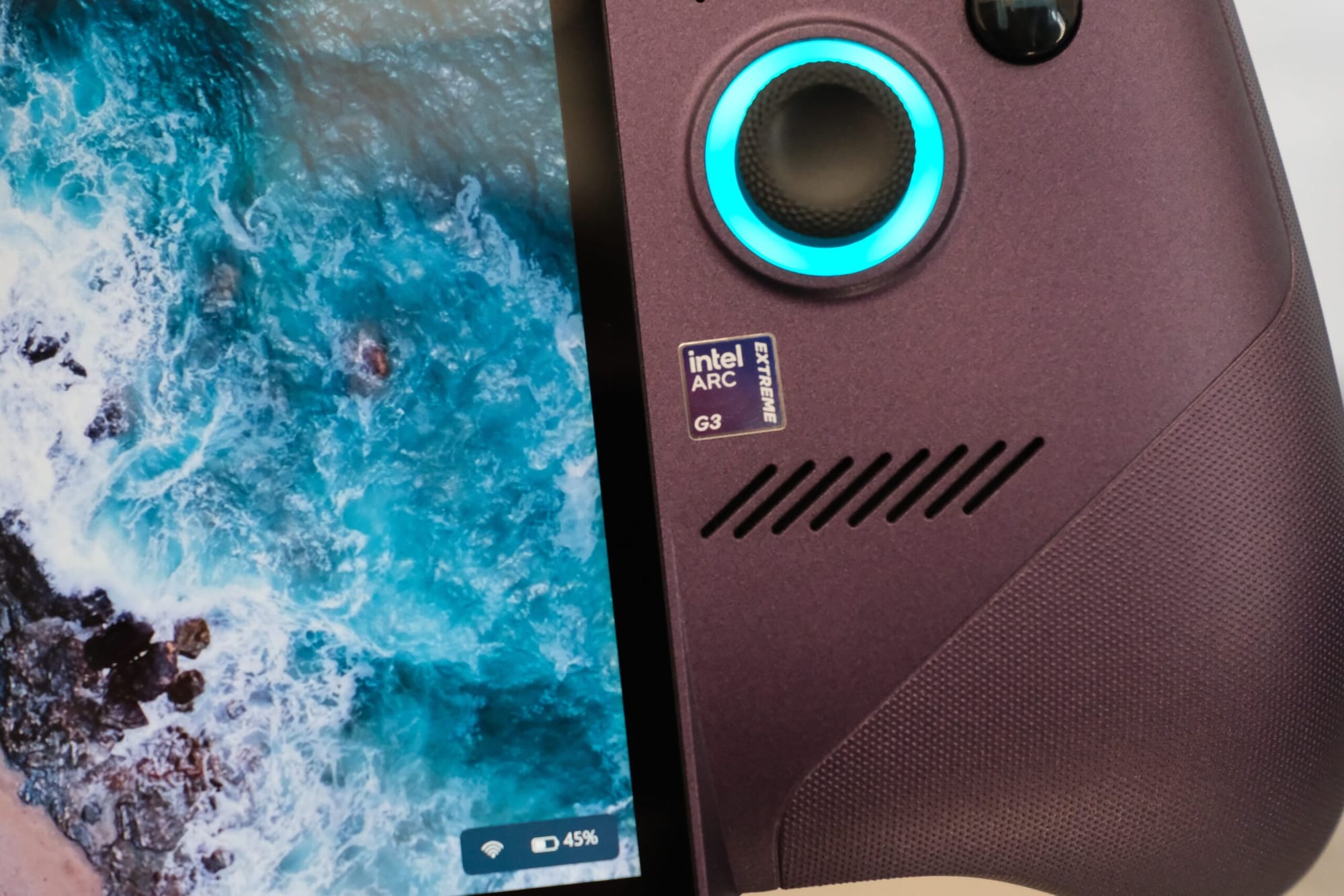
The Claw did. After a few days with Spider-Man 2, I stopped thinking about what I was giving up and started thinking about the game. That is the entire point of this category, and this is the first handheld I’ve used that nailed it for me.
The larger point is not that one handheld changed my mind. This category now feels mature enough to grow beyond the people who were already sold on it. The performance is there. The controls are there. Windows has a controller-first interface without giving up the PC game library. Thunderbolt turns the same device into a docked gaming system or a normal PC. These products no longer feel like experiments.
That maturity is arriving while gaming hardware gets more expensive. The tools and process complexity behind leading-edge silicon cost more, memory and NAND supply are tight, and OLED and high-refresh displays remain premium parts. A desktop or gaming laptop built around the hardware people now expect is not heading back toward cheap either.
That makes flexibility more valuable. A handheld like this can be the machine in your hands, the gaming system connected to a TV, and the Windows PC on a desk. It brings the games you already own across Xbox, Epic, Steam, and other stores. As every route into high-end gaming costs more, having more ways to use the same hardware makes the whole category more compelling.
There is still a catch. MSI lists this 32GB/1TB model for $1,799. I can rave about the product and still tell most people not to spend $1,799 on a handheld. Both things are true. I care more about the product here; others can care more about the value. The Claw is not the mainstream handheld. It is proof that the category is ready for more products, more prices, and more people.
My excuse to play Spider-Man 2
Spider-Man 2 is a perfect game for this machine. It is demanding, it looks fantastic, and its movement and combat work naturally on a controller. More importantly for me, it is a game I had wanted to play for years. A portable device that I needed to use to review (and more importantly, try to understand Intel’s G series chip here) is a perfect excuse to justify playing this game.
I ran the game at 1920×1200 on the High preset with ray tracing, V-sync, and frame generation turned off. The display was set to 120Hz and XeSS upscaling was enabled. Most of my gameplay sat around 45 to 50 fps, with some scenes climbing into the 50 to 60 fps range. That is enough for this kind of game. It felt smooth, the controls felt immediate, and I never found myself reaching for the settings menu instead of playing.
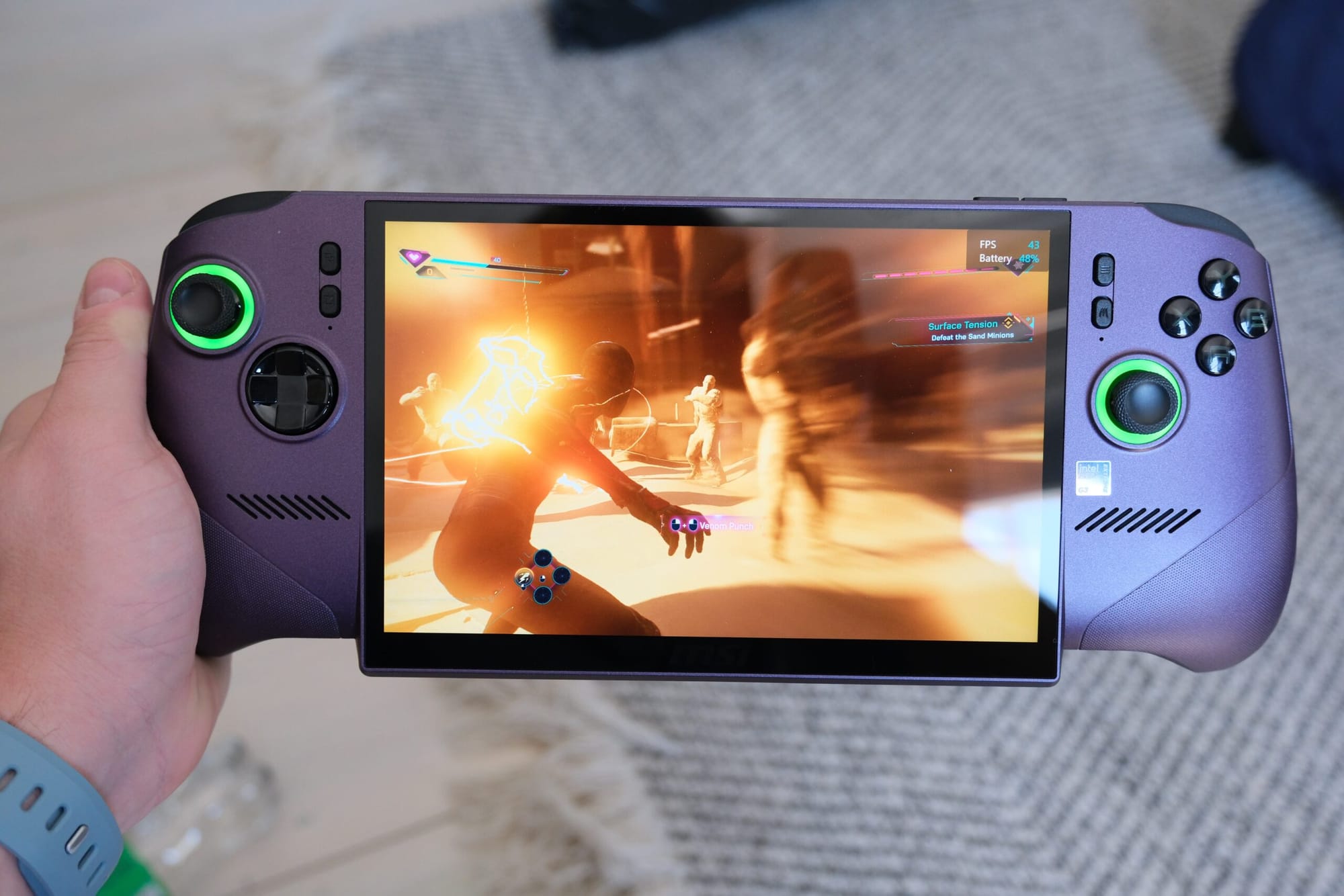
I want to be careful with the inevitable console comparison. This does not mean the Arc G3 Extreme is a PlayStation 5 in your hands. The PC and console versions use different settings, the exact XeSS mode matters, and an average frame-rate counter does not tell you about frame pacing or image quality. What I can say is simpler and more useful: a demanding former PlayStation exclusive ran well enough on an 8-inch handheld that I restarted the game and kept playing it.
I spent some time trying to figure out what a comparison would be for this performance. After a few minutes of searching, this compares pretty well to an RTX 4070 laptop; it’s within the same ballpark. I don’t mean to say this as a bad thing or saying it’s better or anything, but rather the RTX 4070 laptop chip is a really good chip! There are really good gaming laptops with this GPU. The Claw 8 with Intel G3 Extreme is close to it. That’s really cool.
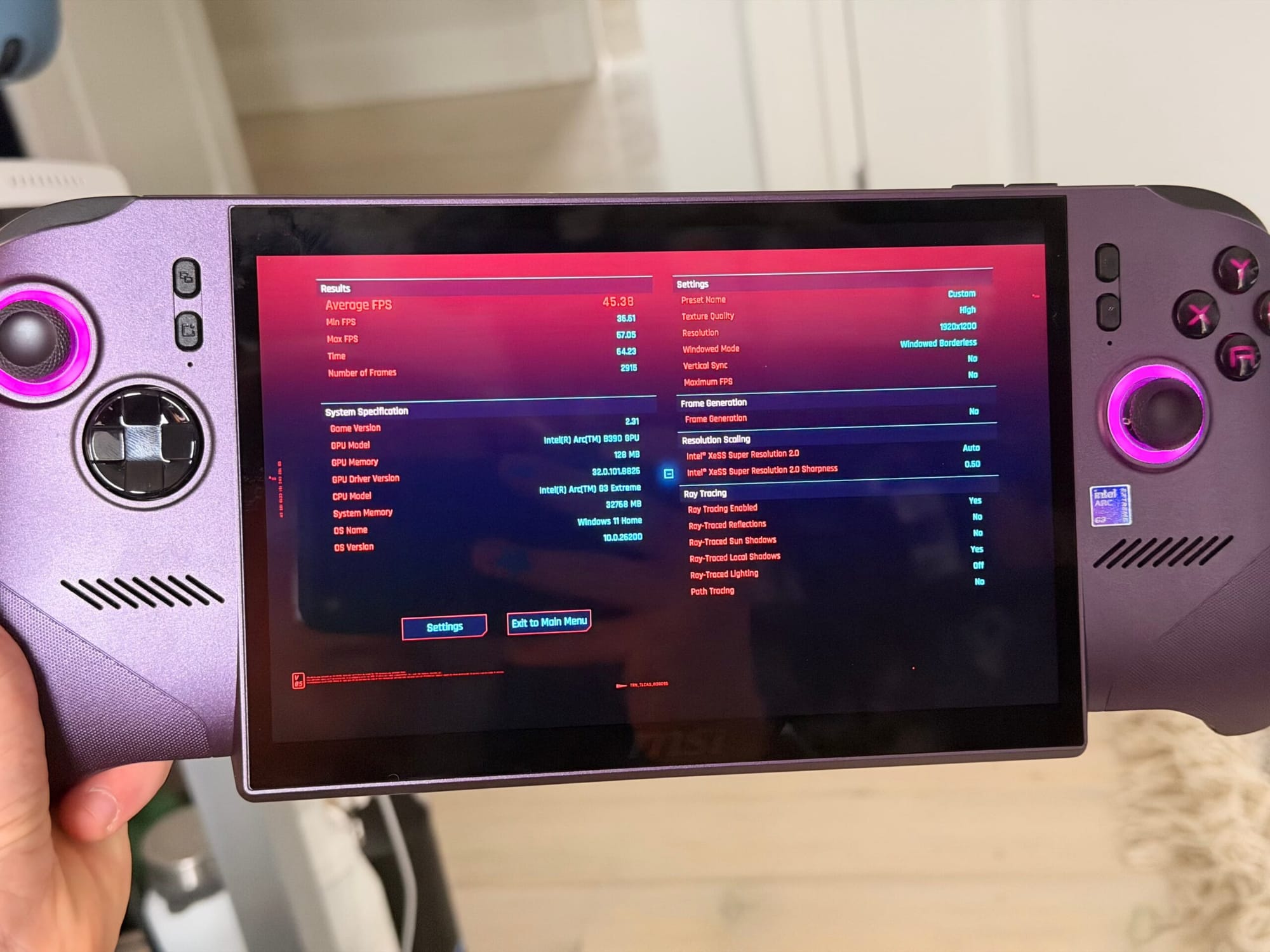
The result held up elsewhere. In the built-in Cyberpunk 2077 benchmark, the Claw returned about 44 fps at 1200p on the High preset across several runs. I did not spend an afternoon finding the perfect low-medium-custom soup to inflate the number. On an 8-inch screen I would rather start with a sensible preset, turn on the right upscaler, and play.
Frame generation is available if you want more visible smoothness, and this form factor makes a good case for it. A handheld has a hard power ceiling. If the GPU can render a solid base frame rate and use generated frames to make motion look smoother on a 120Hz screen, that is a good trade in a single-player game. Generated frames are not the same as rendered frames, though, and they do not magically improve input latency.
One thing worth being precise about is how frame generation interacts with input latency, because the bigger frame-rate number oversells the responsiveness. A natively rendered 120fps game samples your input 120 times a second, so the controls feel as immediate as that frame rate suggests. A game running at 60fps samples input half as often, so its latency is roughly double. If you take that 60fps game and use frame generation to reach 120fps, the motion looks like 120fps, but your input is still tied to the 60fps base frames. The generated frames are interpolated, so the technique actually adds a little latency on top of that 60fps baseline rather than removing any. The point is that frame gen buys you a smoother-looking image, not native-120fps responsiveness. As long as the base frame rate is solid, which it is here, I have no problem with fake frames.
Arc G3 Extreme is built for this job
The Intel Arc G3 Extreme is based on Panther Lake, but Intel did more than put a laptop chip in a smaller box. Arc G3 is Intel’s first family of purpose-built handheld SoCs, and the parts were rebalanced around what a game needs inside an 8W to 35W power envelope.
The CPU has two performance cores, eight efficiency cores, and four low-power efficiency cores. The GPU is an Arc B390 based on Xe3 with 12 Xe-cores, 96 XMX engines for AI work such as XeSS, 12 ray-tracing units, and 16MB of cache. The compute tile is built on Intel 18A. There is enough CPU here to feed a game, but the design is plainly biased toward graphics.
That matters because a handheld has one small pool of power and heat to divide. Every watt the CPU takes is a watt the GPU cannot use. Intel’s Intelligent Bias Control manages that split, and at 14W or below it can park the two P-cores entirely so the E-cores handle the CPU side while the GPU keeps more of the budget. This is the kind of mechanism that disappears when it works. You do not think about core parking while swinging through Manhattan. The frame rate holds together.
Intel’s own testing says Arc G3 Extreme at 35W averaged 42% faster than the Ryzen AI Z2 Extreme at 35W across 36 games at 1080p High, using 2x upscaling where supported. Intel also says its chip at 17W roughly matched the Z2 Extreme at 35W across that same test set. Those are Intel’s numbers from pre-production systems, not mine, so treat them accordingly. The direction matches what I felt using the Claw, but I did not run a controlled 36-game comparison of my own.
XeSS is the other half of the platform. Super Resolution lets the GPU render from a lower internal resolution and reconstruct the image for the 1200p screen. Multi-Frame Generation can add up to three generated frames between traditionally rendered ones in supported games. On a desktop with a giant GPU, these features can feel optional. On a handheld, they are how you turn a limited power budget into a better-looking and smoother game. See the above point on input lag and frame gen, it’s still great!
Intel finally has the CPU, GPU, process technology, packaging, drivers, and upscaling stack working toward one clear product. That is why Arc G3 feels more important than another integrated-GPU bump. It is a complete handheld platform.
MSI built the right hardware around it
The chip would not matter if the machine were miserable to hold. MSI did a good job here.
The Claw has an 8-inch 1920×1200 IPS touchscreen with a 48 to 120Hz variable refresh range. I initially wrote down that it was OLED because it looked that good. It is not. Color and contrast are still excellent, VRR keeps sub-60 fps games looking smoother, and 1200p is the right resolution for this size. I never wanted more pixels.
The textured plastic feels better than I expected, and the flared grips make the 785g body easier to hold than the number suggests. The Hall-effect sticks and triggers feel like proper controller parts. MSI rounded the ABXY buttons, changed the D-pad to a metal-dome design, and upgraded the haptics with new linear motors. I am not good enough with a controller to lecture anyone about competitive input latency, but the whole control surface felt normal in the best possible way. I did not feel like I was using a tiny PC with controller parts glued to the sides.
The fans are audible under load, as they are on every handheld in this class, but they never became the dominant sound. The two front-facing speakers help. Turn the volume up a little and the game covers most of the fan noise without headphones.
My informal battery experience landed around three to three and a half hours while playing and using the machine normally away from a charger. This was not a controlled rundown with fixed brightness and a scripted path, so do not read it as one. The 80Wh battery is large for a handheld, and Intel also has an Endurance Gaming mode that targets 30, 40, or 60 fps to reduce power. I did not run the full matrix needed to turn that into a stronger battery claim.
The rest of the hardware is unusually complete. My unit has 32GB of LPDDR5X memory and a 1TB SSD. MSI moved to a standard M.2 2280 slot, so storage upgrades should be cheaper and easier to find. There is Wi-Fi 7, a microSD Express reader, a fingerprint sensor in the power button, and two Thunderbolt 4 ports across the top.
Those Thunderbolt ports deserve their own section.
The one-cable dock changes the product
Intel sent an OWC Thunderbolt Go Dock with the review kit. It does not come in the retail box, but it showed me one of the Claw’s best tricks.
I plugged the dock into my monitor, connected the Claw with one cable, and used it the same way I would use a Nintendo Switch. The cable handled the display, peripherals, and charging. Dock it and play. Unplug it and walk away.
That sounds obvious because Nintendo solved it years ago, but it has not been the default experience for Windows handhelds. Thunderbolt makes the setup predictable, and having two ports means charging or docking does not consume the only high-speed connection on the machine.
It also changes what the Claw can be. This is a full Windows 11 PC with 32GB of memory. Add a keyboard, mouse, and monitor and it can handle ordinary desktop work, development, or local AI experiments in a way a closed console cannot. I did not replace my workstation with it, and I am not going to pretend a handheld is the ideal machine for every job. The point is that the option is real and the setup takes one cable.
Full Windows matters before you ever reach a desk too. The newer Xbox full-screen experience gives the Claw a controller-first home screen while keeping access to games from Xbox, Epic, Steam, and the rest of the PC ecosystem. I am apparently in the minority here, but I like buying games on Epic. A device that can bring that library along without asking me to repurchase games is more useful to me than one built around a single store.
Windows can still show its desktop-shaped edges, and a console-first interface does not remove every prompt or launcher. It is much closer than it used to be. More importantly, I did not spend the review fighting the operating system. I spent it playing Spider-Man.
Why PC handhelds will keep growing
The Claw feels like a mature answer to a real problem: how do you make PC gaming portable without asking people to abandon their library, their accessories, or the option to use the machine as a computer? There is no single trick here. The category works because the chip, controls, battery, software, display, and docking finally work together.
The cost backdrop matters too. TSMC says the tools for leading-edge nodes are becoming more expensive and the process complexity keeps increasing. Micron expects DRAM and NAND supply to remain tight beyond 2026, with enough pressure to weigh on PC shipments. Display companies are moving more of gaming toward high-refresh OLED, which remains a premium part. None of that makes a $1,799 handheld cheap. It does mean the old assumption that a handheld only makes sense as an inexpensive second device is becoming less useful.
For some people, this can be the gaming PC. It can live on the couch, go in a bag, dock to a television, and connect to a monitor and peripherals at a desk. A desktop will still deliver more performance for the money, and a laptop remains better if you need a built-in keyboard and larger screen. The handheld earns its place through the number of situations where it works.
This particular machine sits at the expensive end of the category. The important part is what happens next. Arc G3 gives more manufacturers a capable platform to build around, Windows is finally treating handhelds as a real product class, and every new design creates another chance to balance performance, size, display, and price differently. The category does not need every product to be cheap. It needs enough good options that more people can find the one that fits.
The best thing I can say about the MSI Claw 8 EX AI+ is that it got out of the way. It gave me a reason to restart Spider-Man 2 and ran it well enough that I stopped watching the frame counter. When I finished testing, I kept playing.
Intel nailed Arc G3 Extreme. MSI nailed the hardware around it. This is the best Windows handheld I have used and the first one that did not feel like a downgrade. I love the thing.
I do not think every PC gamer is about to replace a desktop or laptop with a handheld. I do think many more people will choose one as gaming hardware gets more expensive and the handheld becomes capable in more places. A machine that works in your hands, on a television, and at a desk is easier to justify than one with a single job.
The Claw 8 EX AI+ is too expensive to take this category mainstream by itself. It is mature enough to show why something like it will. There are other versions with Intel’s Lunar Lake, and there are likely more affordable SKUs on the way. It’s only a matter of time!